Jordan Thomas achieving his ambitions with Gadget Rehab

It was perfect timing when Gadget Rehab partnered with Red Kite Better Futures Youth Forum to support a local man achieve his ambitions of working in tech repair.

Jordan Thomas, a tenant of Red Kite Housing, was keen to pursue a career in tech repair but needed training and support to makes this a reality.
As a local employer, Gadget Rehab focuses on creating employment opportunities for those in the Wycombe area and is passionate about improving the skills of employees. Combining both of these elements, the business now offers training courses for those interested in smartphone and tablet repair as a career.

Daniel Beckford who owns and manages Gadget Rehab explains “I had been thinking about delivering training for a while so when I was approached by Red Kite to offer training placements to their youth forum, I knew it was the right time.”

The partnership between Red Kite and Gadget Rehab enabled Jordan to achieve Level 1 and 2 in Smartphone and Tablet Repair. Following the successful completion of the course, Gadget Rehab offered Jordan a role with their sister company GR Phones Ltd.

Nahida Latif, Red Kite’s Community Investment Specialist worked with Daniel Beckford, in placing Jordan with the business. Nahida said,

“I have loved working with Jordan and helping him to find a job that he is passionate about. He has done so well and with our help and the support of Gadget Rehab he is well on the way to a successful career. It’s been such a pleasure to help Jordan. It just goes to show how a small amount of support in the right area really can make a huge difference to someone and their future.”

The housing association manages the Red Kite Community Housing’s Starting Blocks Fund which provides financial support and networking to those looking to reach their potential. With assistance from Nahida, Jordan was able to access this funding to enable him to attend the course. Speaking about the opportunity, Jordan explains:

“The Red Kite Youth Forum is absolutely amazing. The opportunity it has given me has been life changing, it has really boosted my confidence and shown me there are people who care.”

"When I was approached about having a course funded to help me, I couldn’t believe it. Red Kite genuinely has openings, wants to listen and I think it’s just amazing. I’ve learnt so much, I now feel like I can take anything on.”

On Jordan’s progress, Daniel Beckford continued, “I’m over the moon with what Jordan has achieved and so happy to have him as part of our team. I’ve really enjoyed being part of the programme and it has been great to see Jordan gain confidence. This course has made a huge difference to him and it’s great to see him with a smile on his face.”

If you are interested in joining the Gadget Rehab training programme, please contact us.

Gadget Rehab Team Member Dan Tilley

For this "Get to know the Gadget Rehab Team" blog it is the turn of our Motherboard Technician/Head Technician Dan Tilley.

How long have you worked at Gadget Rehab?
5 Years as of November 2021

What is your specialist area of expertise?
Advanced repairs of electronics such as smartphones and laptops.

Describe your typical day at Gadget Rehab
Firstly, I prepare the devices and tickets that are assigned to me for that day so that I know should anymore be coming in I have the capacity to do so. Once prepared I then complete the tasks for the devices such as a screen replacement on a smartphone or a diagnostic on a laptop. For each ticket I will update any relevant notes and update the customers whether the device is ready or if we then have a quote for the repair. I may also assist with seeing to customers when they drop off or collect if our sales assistant is with another customer. During the day I will also order any parts that are required so that we are stocked and ready for any booked repairs that are upcoming. At the end of the day all my tickets would then be up to date. This means that either the task is complete, and the device(s) are ready to collect, or the customer has been updated if we require approval to continue with a repair or more information on the issues that they were having.

What do you enjoy most about working with electronics?
I would have to say that it’s because there is so many devices now and there is always something new coming out it brings on new challenges. It’s exciting how far these gadgets have come in the last 10 years and where we could be in the next 10.

What is the most complicated repair you have carried out?
There is quite a few! However, it must be a MacBook I repaired that was a newer model which has integrated storage and the customer needed the data. The board had suffered some liquid damage and we did not have any spare components and we could not source each of them, so we had to source another board in order to diagnose and repair it. Once I was able to identify the failed components, I could then use the donor board to get this working or at least powered so that we could back up the customer data for them. Fortunately, I did get this up and running so that the data was saved.

What is the strangest tech request you have ever had?

There is a few, but the most recent one from memory was a customer asking us to repair their broken iPhone SE 2020 camera by swapping with the one from their iPhone 6. Not only are the cameras completely different in specification but also the connectors would not fit if we tried.

Do family and friends always ask you questions about tech?
Yes, of course. At least once a week I am asked something technical, it could be something as simple as one of my parents asking how to send a document on their email. I also get asked now and again by friends quite technical questions whether it is computer or gaming related.

Are you Apple or Android?
Apple. For me personally it is because it’s what I am used to now. However, both Android and iOS have come so far and are very easy to use now.

What will be your next tech purchase?
I recently upgraded the graphics card in my personal computer and so the next purchase would probably be adding some RAM to upgrade it to 32GB of memory. The next gadget however may be an iPad or laptop as I would like something more portable but is bigger than my phone.

Which tech product would you put in room 101 and why?
The Samsung Fold or Flip phones as the repairability is near impossible and very costly. I like the idea of them, but they just aren’t good in my opinion.

If you would like to contact Dan or anyone else in the Gadget Rehab team click here.

Cambridge Speaker Repair Blog Post

Cambridge Audio Speaker Repair

At Gadget Rehab we deal with many different types of repairs including tech for music. In this blog post we explain how we carried out a Cambridge Audio Speaker repair.

The Issue

The unit, a Cambridge Audio Minx Air 200, had no power and had failed to work despite some simple tests carried out initially. Our engineer started the process by checking wiring (one of the most common issues) to ensure all connections were intact prior to looking further into the issue.

Diagnostics

With no power, we suspected it was a more complex problem and began reviewing the components. As well as physical inspection of the parts, we needed to pinpoint and download the motherboard schematics. Finding the motherboard schematics was a lengthy process. All makes and models are different, and manufacturers don’t release them officially online. Following comprehensive online research, we located the motherboard schematics and downloaded them. We also downloaded the technical drawings for the board.

Making the Repair

Using a multi meter, micro soldering equipment and a hot air station we located and repaired the damage to the motherboard. We are experts in micro soldering and our engineers are highly skilled in this area of technical repair. We use the latest industry professional equipment to ensure we have the highest accuracy when carrying our repairs of this kind. For example, we rely on these tools to use the correct temperature and fine tip soldering irons to precisely place the solder where it is needed.

Completion and Testing

Once complete, the speakers were re-assembled and tested. All items are tested prior to us completing each project so we are confident we have carried out the repair successfully. The Cambridge Audio Speaker now provides a fantastic sound and we had a very happy customer.


If you have speakers with no power or know there has been liquid or impact damage, contact us. One of our team will make an appointment for the repair. They will also talk you through timescales and price.

A woman with iphone camera issues

If you have an iphone you know the camera quality is exceptional, so you also know how frustrating it is when the camera just won’t work. So, if you are experiencing iphone camera problems, read on.

Camera Lens

Firstly, the obvious reason you are experiencing iphone camera problems is the camera lens is covered or blocked. Make sure it isn’t being masked by a case or cover or even your hand when you are taking a photo. We know this may sound patronising but you would be surprised how many times it happens!

Restrictions

Your first thought might be that it is a hardware issue preventing the camera from functioning properly, but it could simply be down to permissions. The first thing here to check are the restrictions. To navigate to this menu visit settings, then general restrictions and ensure the camera icon is turned on and highlighted green.

Reset the Device

Not fixed it?, don’t panic yet. The next thing to try is resetting your device. In settings, navigate to general and then select “reset” from the menu. This should clear any unwanted content from apps and cookies from the phone acting like a detox for your device. Furthermore, at this point, it is also a good time to check for system updates and install them if you are using a previous version and remember to back up your phone before resetting it to prevent loss of data.

Hardware Problem

Finally, if none of these fixes work, then it is likely you do have a hardware issue preventing your iphone camera from working, and that is where we come in.

At Gadget Rehab we have been repairing iphones for almost ten years and have seen almost every camera problem there is. Our highly trained and experienced technicians can work on any model of iphone to repair the damaged camera including:

• iPhone 5S
• iPhone 6
• iPhone 6 Plus
• iPhone 6S
• iPhone 6S Plus
• iPhone 7
• iPhone 7 Plus
• iPhone 8
• iPhone 8 Plus
• iPhone 11
• iPhone 11 Pro
• iPhone 11 Pro Max
• iPhone SE
• iPhone SE (2nd gen)
• iPhone X
• iPhone XR
• iPhone XS
• iPhone XS Max

Find out More

Details of all our iphone repair services and pricelists are available on our website at www.gadgetrehab.co.uk

Call us today to find out more or to book your phone in for repair. We offer a quick service so that you can get back to your apps as soon as possible.

Mobile phone with lots of apps

You’ve bought your phone because it has a great camera but have you considered the storage space needed for all the photographs you’ll take? Storage on both an iphone and an android device seems to be a continual problem. The combination of photographs and apps, message attachments and upgrades can all contribute to the reduction in your phone’s storage space. This blog post provides you with hints and tips on how to free up storage space on your phone.

To check your phone storage, visit settings. This will give you an overview of where the main culprits are. From here you can delete unused apps and games and review photos and files.

If there are photos that you just can’t get rid of, then back them up using an external storage provider. Icloud, Dropbox, Google Drive or One Drive are all good options and simple to still access directly from your phone.

We would also recommend you delete unnecessary data and clear the cache from your apps. Apps build this in the background and whilst not a huge drain on your storage, it can add up and deleting the cache will free up some space to use for more important items.

Check the settings of your messaging apps. Some, such as Whatsapp, automatically save images, gifs and videos in your gallery. Check what you need to keep and delete what you don’t. Check your message quantity too as deleting old messages will also improve storage capacity.

If there are apps that you don’t want to remove or simply can’t because they came pre-installed with your phone, you can disable them. Disabling apps improves the storage space on your phone and is an “easy win” for quickly freeing up some space. It is often surprising just how many apps you have especially considering the average user installs two apps a week!

Just like on your laptop or computer you rack up a browsing history on your phone. Clear your browsing history and check your downloads. If you have downloaded documents or images from a website then they are also taking up valuable space on your phone. PDFs, video files and audio are large files and can remain in your downloads long after you have viewed them. Podcasts will also stay in your downloads until deleted and can be very large files. Check the download folder regularly to make sure you only keep what you need.

If you are still experiencing issues with storage on your mobile phone or any other problem, make an appointment with us at Gadget Rehab.

One of our engineers will be able to look at your phone and find the root cause of the issue. Call us today on 01494534008 or contact us.

Low Battery Life

If you are experiencing the fast draining of your phone battery, it could be for various reasons. Spending time scrolling, liking, and taking pictures all takes a toll on the battery life of our phones. There are things however we can do to maximise the battery life and extend the time between phone charging.

We would always recommend you use an original charger, avoid overheating your phone and always keep your apps and system current by updating to the latest version when notified.

The first step to sorting the problem is to get the facts by checking your battery usage. On an android phone this is by going to settings, device care and then battery. Here you will be able to see the status of your phone and how your battery is being used, next you should carry out the following checks:

1. Phone Display
The brightness of your screen affects your battery use, so we recommend you set it at a low level. You can then adjust the brightness when you need it rather than always having it at a higher level. Next, check the length of time before your display goes into sleep mode and make sure it is on the shortest time setting. Making sure your phone display is not live for longer than it needs to be can save you some battery.

2. Phone Sounds and Notifications
Having keyboard sounds active so that you can hear taps or vibrations when you are using your phone drains the battery. Turn off keyboard sounds and vibrations and make sure your notification settings are for active apps only.

3. Apps
Apps are the greatest offender for battery use, but we also know they are the most convenient functions of your phone, so only have those you use set to active and uninstall apps that you don’t use. For the apps which you use often but drain a lot of battery power, check the notification settings, and reduce the frequency to a low level.

As apps are updated often, it is also advisable to check apps that continue to run in the background and change the settings to ensure only necessary functions remain active.

Some apps have location services active which run continuously and use the battery. Check this setting on all your apps and amend accordingly. Most location services run to send you localised ads and therefore will not affect the performance of the app.

If your phone offers you a “dark mode” for apps this will also reduce battery use and can make it easier to read text.

4. Connectivity
If you use your phone in the car, chances are you have your Bluetooth always set to active. Check this setting and only activate it when needed to prevent unnecessary battery usage.

If you have tried all of the above and are still experiencing battery issues, then we can help. Call us today on 01494 534008 to book an appointment for us to investigate the issue or contact us.

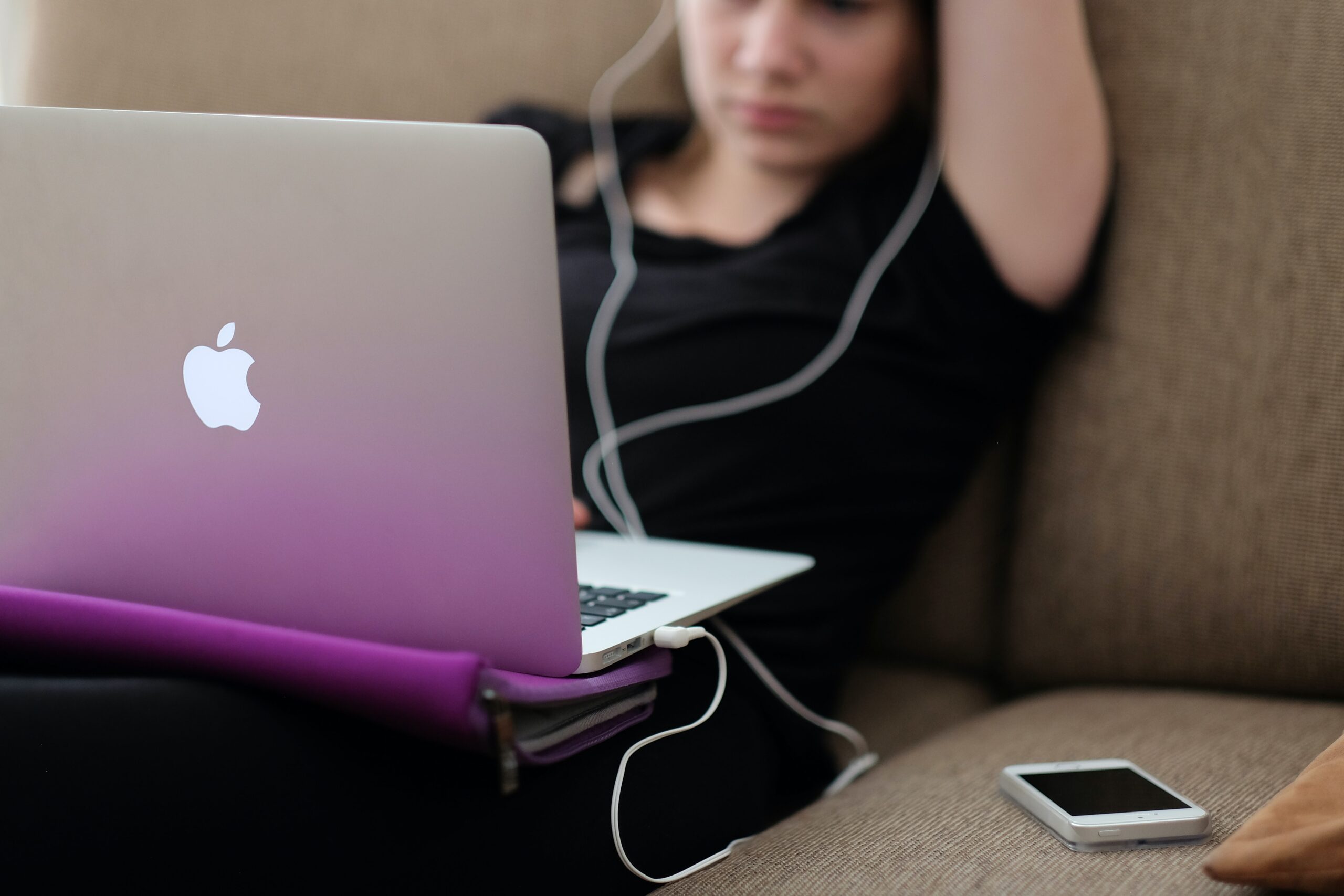
Is your laptop running slowly

Is your Laptop running slowly?

If your laptop or computer is running slowly it doesn’t take long before you lose your patience in dealing with the issue. You assume there is nothing you can do and start looking for a new machine.

However, help is at hand, at Gadget Rehab we can review your machine and offer you practical solutions. If you would like to try to solve the issue yourself first, then follow the steps below which we have put into three categories:

System

The first thing is to shut down your machine and restart it. If you always have your machine in sleep mode, it may be missing vital updates which can slow your machine. This could be the time, switch it off, switch it on again, may just work.

Next, check which programs open on start up. If you have too many set to automatically load on start up, they will add to the time it takes for your machine to be fully operational. You can check this in task manager or the program settings.

Make sure you have anti-virus software installed and run it to check for any viruses that may have found their way onto your machine.

This is also a good time to check all your drivers are up to date. To check, search for the latest versions online and make sure they are installed.

Hardware

If the hard drive on your computer is close to being at maximum capacity this will significantly slow the speed of your machine. Your machine always needs capacity to store and manage temporary files to ensure the smooth running of your programs and the efficient running of your machine. Aim to always have 20% capacity on your hard drive.

To free up space quickly:

  • Empty the recycle bin
  • Delete temporary files and unnecessary files
  • Move large documents to external storage devices such as an external hard drive, USB or to the cloud

Some programs take up a large amount of space on your machine. Programs which are industry specific such as finance or design software can install add-ons which you are not using. Disable the features you do not use.

Software

If you have several tabs open at the same time or a lot of programs running, they are all competing for your machine’s resources. This can put too much pressure on the processing power and cause your computer to slow. To fix this:

  • Close the program completely when you have finished using it
  • Close tabs not in use
  • Bookmark tabs so you can refer to them at another time
  • Check installed programs are not running in the background or have encountered a problem

It is important to keep your software up to date, however, you should only install necessary software updates and disable those that update automatically.

If you are still experiencing issues with your laptop or computer running slowly then it is advisable to make an appointment with us at Gadget Rehab. One of our engineers will be able to look at your machine and find the root cause of the issue. Call us today on 01494534008.