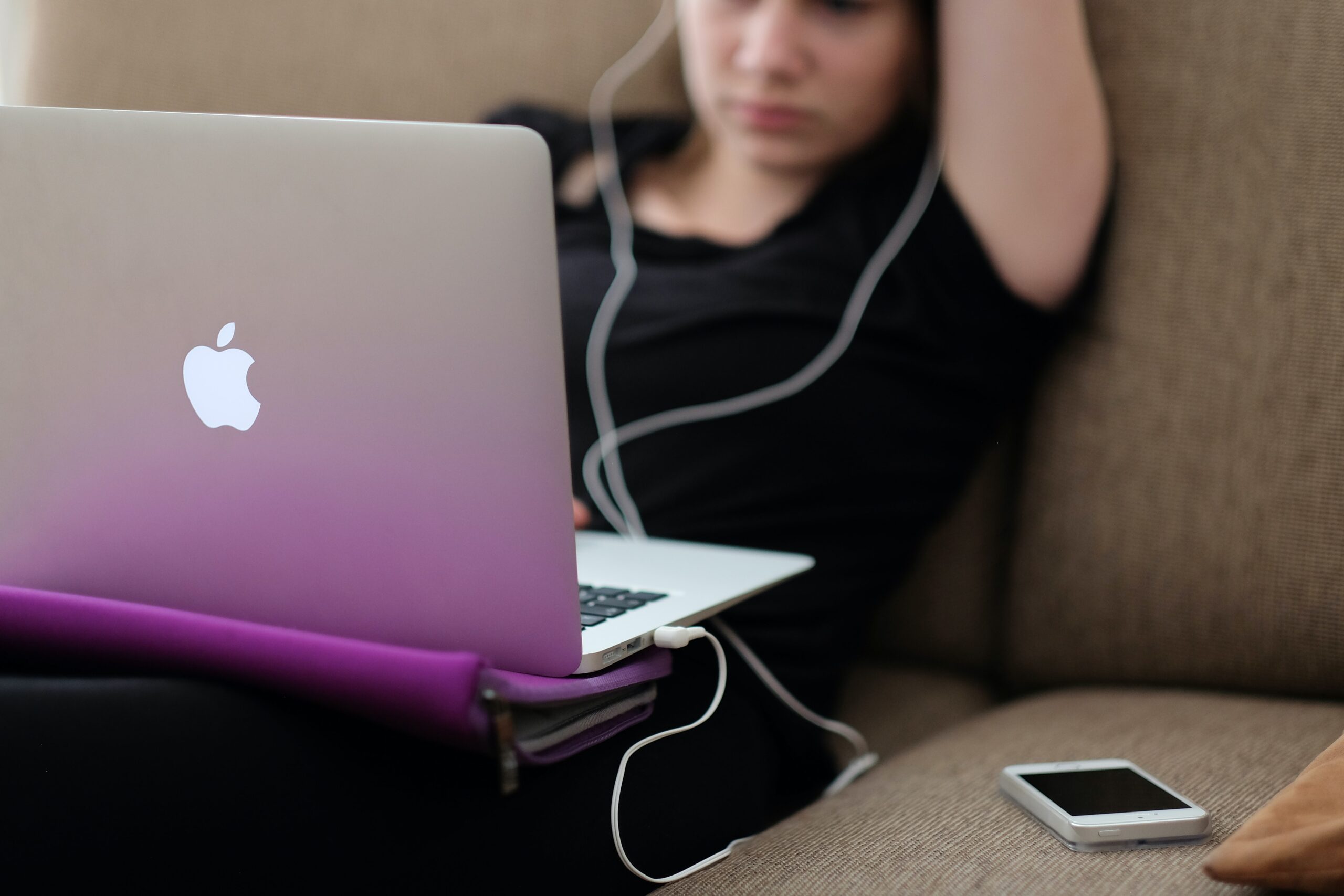
How to cool an overheating laptop

How to cool an overheating laptop

Laptops by their nature can generate a lot of heat. This is especially true when in use for long periods of time on your lap or an environment that's not cooled to optimise performance. But when your device starts to overheat, it can impact the performance of your machine. In this blog post, we outline the causes, and offer a few solutions of how to cool an overheating laptop.


What happens when the temperature gets too high?

A certain level of heat is to be expected and is normal for your hardworking device. Being a laptop, there is less space for the components compared to a PC and heat can build up quickly. However, when heat intensifies it can result in a slowing down of functionality which can lead to data loss. Longer term this can severely impact your machine.

Your laptop suffers a lot, you move it from a desk to your bag, onto a train or plane and then back again. This means dirt, dust and bacteria makes its way into the cooling device which is exposed on the base. This dirt builds up and can eventually affect the performance of the cooling fan.


How to prevent an overheating laptop

The temperature of your machine should not exceed 35 degrees celsius. To keep it within the guidelines we advise the following:

• Keep the vents free
• Make sure your laptop is on a flat surface so that air can circulate
• Remove any objects such as dust or hair from the vents
• Operate your machine in a cooler room
• Use a laptop stand which will allow heat to move round your machine
• Put a cooling mat underneath your laptop

To clear the vents, we recommend you use a compressed air spray. This should dislodge any dust or build of dirt and create a clear path for the air to move round.


What causes an overheating laptop?

Running lots of applications at the same time or streaming video games or films can contribute to the problem. They affect the temperature levels of your laptop. Over time your battery will deteriorate as will the thermal paste which cools your device. Monitor the number of applications you have open at once and close any that are resource intensive.

The CPU Turbo boost maintains the efficiency of the processing core of your machine – but only when it is operating within normal temperature levels. If your device is overheating, disable this function. Disabling the function may see a slight slowing in processing but it should also see a reduction in the temperature of your machine.

If following the tips above hasn’t solved the problem, and you still need to know how to cool an overheating laptop, then contact us. One of our technicians will be happy to review your laptop, make an appointment for the repair and provide you with a quote.

Gadget Rehab - how we manage your repair

The Best Repair Management Software

We know how important your tech is to you and how quickly you need to have it back. That’s why we offer many same-day repairs where possible. Whatever you need in terms of repair, we always keep you up to date using dedicated software called RepairDesk. In this blog, we explain how we manage your repair with our repair management software.

How we manage your repair

RepairDesk*is designed specifically for tech repair specialists to enable professionals like us to keep our customers up to date. The advanced capability means that your updates are also in real-time. At Gadget Rehab, we have been operating this repair management software for eight years. This is key to how we manage your repair.

As a customer, your first experience with this software is when we book your repair. The ticketing system means you receive a unique ticket number. This allows us to allocate the right time, technician and completion date for your repair. We can also take a photo of your device before we start any work as a record for us and you. Which is saved to the software.


Creating a Repair Checklist

The next step is to create your repair checklist, which we also complete using the RepairDesk repair software. This checklist allows us and you to see the progress and status of your repair. The status changes as we go through the repair process. We will even email you at key stages of the process, so you know where we are.
Once the repair has been completed, you will receive a notification by email of its completion. This will be updated on your ticket and reflected on the job status. We also provide you with the option to sign digitally creating a record for both you and for us. This allows us to build a full history of our customer experience and a reference point for future appointments and repairs. At Gadget Rehab, how we manage your repair is the first step to building a positive customer experience.


Real-time reporting with RepairDesk

Internally the customer management software enables our team to view all our current work schedules and the allocation to technicians. By having this transparency of service, it means any one of our team members can let you know the status of your order. All information is stored securely, and notes are added if additional parts or work is required. For us, it is an essential part of our business. We use the software to manage all of our workflows and ensure we offer the very best levels of customer service.

This repair shop software was initially designed for those working in the mobile phone repair industry and so is the perfect fit for our business. Now, the software has grown in popularity and is used by repair professionals across many industries. Trade professionals using this software in addition to tech repair specialists include plumbers and electricians.

Try the software today!

Repair Managment Software


Do you work in a field that you feel would benefit RepairDesk?

In our opinion, the best repair management software is RepairDesk. Click here to give it a try today*.

Need a repair?

If you need a repair to your mobile phone, tablet, laptop, PC, Mac, drone or DJ equipment contact us to book your appointment or use our quote form.


*Disclosure: This page contains affiliate links, whereby we may receive a commission on referring products and services. There is no extra cost to you but does help support our site and could entitle you to exclusive offers. We only recommend products and services we would use ourselves. All opinions expressed here are our own.

Macbook - where are my missing files

Macbook – where have my files gone?

At Gadget Rehab, we carry out many repairs to Macbook and Macbook Pro machines. We often see the same problems affecting many of our customers. For this blog, we review the problem of the disappearing act – where have my files gone?


Back it up

We always recommend the regular backing up of files on your device. Whether this is with Timemachine or via cloud storage or an external hard drive, this is good practice and allows you to reset your device to a previous version should you encounter any issues following an update. Updates to the machine can often be the trigger for your files to vanish from your machine so it is always advisable to have a back up prior to carrying this out.


Check your settings

As there are lots of useful features within Macbook and to be helpful many sort and arrange your files. This assistance may not be needed, and it is a good idea to check the settings on Terminal and Stack as they may have moved your files to declutter your desktop and other folders.


Trash folder

If your files are no longer visible, carry out the basic checks first such as looking in your trash folder. Items will be stored for 30 days on the standard setting which should buy you some time. If this doesn’t locate them, we would suggest carry out a search.


Conduct a search

To carry out a search, hold the command and space to open the spotlight functionality. Once opened, type the name of the file you are looking for and search. This should bring up a list of files which you can inspect further by holding down the command key and clicking on the file directory. This will take you directly to the file’s location. If the file you are looking for doesn’t appear in the list, then a broader search is necessary.

Conducting a broader search also known as a text search is by typing relevant or subject content into spotlight. This can be part of a sentence or a phrase you know is within the content of the document. If found, this will also appear within a list which can be investigated further by following the filepath.

If you are still struggling to find your files, another option is to purchase data recovery software. This of course has a cost associated with it and if you are not confident in applying the software can leave you confused. We would recommend that before you do this, call into one of our two sites, and book an appointment with one of our engineers. We offer competitive rates and an efficient service. Contact us to find out more.

Repair Cost (Labour Rates)

At Gadget Rehab we repair a large variety of electronic devices. These include Smartphones, Laptops, Tablets, Consoles, PCs, Drones, Audio Equipment and much more. Below you will find indicative prices for our labour charges on the different repairs that we do.

GET QUOTE

DeviceLabour Cost
Incl VAT
Other information
Smartphones£18.00Smartphone labour charges starts from £18.00 this excludes parts and other associated cost. Please use the get quote button below for an accurate price for your repair or call us on 01494534008
Laptops£60.00Laptop labour charges starts from £60.00 this excludes parts and other associated cost. Please use the get quote button below for an accurate price for your repair or call us on 01494534008
Tablets£48.00Tablet labour charges starts from £48.00 this excludes parts and other associated cost. Please use the get quote button below for an accurate price for your repair or call us on 01494534008
PC Builds and Repairs£60.00 - £180.00PC repair labour charges starts from £60.00 this excludes parts and other associated cost. Please use the get quote button below for an accurate price for your repair or call us on 01494534008
Console Repairs£36.00 - £120.00We repair most faults on XBOX, PS4/PS5, Nitendo Switch. Labour charges starts from £36.00 this excludes parts and other associated cost. Please use the get quote button below for an accurate price for your repair or call us on 01494534008
Audio Equipment £60.00 - £90.00Audio equipment covers items such as amplifiers, speakers, turntables, mixers etc. Labour cost excludes part cost and other associated charges. Please use the get quote button below for an accurate price for your repair or call us on 01494534008
Headphones£60.00Headphones labour charges starts from £60.00 this excludes parts and other associated cost. Please use the get quote button below for an accurate price for your repair or call us on 01494534008
Drones£90.00 - £180.00Drones labour charges starts from £90.00 this excludes parts and other associated cost. Please use the get quote button below for an accurate price for your repair or call us on 01494534008
Microsoldering £36.00Microsoldering on circuits labour charges starts from £36.00 this excludes parts and other associated cost. Please use the get quote button below for an accurate price for your repair or call us on 01494534008
Other Electronics£60.00 - £90.00We repair a wide range of electronics. Please use the get quote button below for an accurate price for your repair or call us on 01494534008
Smartphone Diagnostis £0.00Excludes motherboard diagnostics (see below)
Tablet Diagnostics£0.00Excludes motherboard diagnostics (see below)
General Diagnostics £36.00Quotes are always free when the fault is obvious. If fault finding is required we charge a £36.00 diagnostics which will be factored into the actual repair cost.
Macbook Diagnostics£60.00Quotes are always free when the fault is obvious. If fault finding is required on a Macbook we charge a £60.00 diagnostics which will be factored into the actual repair cost.
Motherboard Diagnostics £36.00Motherboard Diagnostics labour charges starts from £36.00.
PC Diagnostics£60.00Quotes are always free when the fault is obvious. If fault finding is required on a PC we charge a £60.00 diagnostics which will be factored in to the actual repair cost.
Liquid Damage Diagnostics£36.00We can assess your device and provide diagnostics of the extent ot the damage and assosiated cost for repairs. As part of the liquid damage diagnostics we will ultrasonic clean all compatible components.
Macbook Liquid Damage Diagnostics £60.00We can assess your device and provide diagnostics of the extent ot the damage and assosiated cost for repairs. As part of the liquid damage diagnostics we will ultrasonic clean all compatible components.
Data Transfer £36.00 - £60.00Data transfer starts from £36.00 - £60.00. This could be for cloning a phones, tablets or laptop storage data from one device to another. Please use the get quote button below for an accurate price for your device or call us on 01494534008
Data Recovery£80.00 - £550.00Our data recovery services starts from £80.00. This covers smartphones, tablets, laptops, PCs and hard drives and most other storage devices. We have the ability to take on advanced data recovery processes.
Antique/Collectors Electronic Repairs£120 - £320.00

*Prices shown on this table are based on our half-hourly, hourly labour rates or minimum service charge. Your total repair cost will vary depending on the device and parts required for the repair. For an accurate quote please use our quote form by clicking the button below. A member of our team will respond within 24 hours with a quote. Alternatively, you can call us on 01494 534 008.

GET QUOTE


Multiple Repairs: on the same device at the same time can be given a discount of up to £10.00 off the total repair cost. We also offer a 10% discount (maximum £10.00) for keyworkers.

Turnaround Times: To know the turnaround times for your repair please click hear or ask a member of staff.

Our Warranty: We offer up to 12 months limited warranty on all repairs. See our warranty terms.

Business customers with more than 10 devices please call to speak with Daniel Beckford to discuss trade prices and discounts.

If you are unsure of your device or have any questions please call us on 01494534008 and a member of our team will be able to assist you further.

All Prices include VAT (Updated August 2021)

Our terms and conditions can be found here.

Is your laptop running slowly

Is your Laptop running slowly?

If your laptop or computer is running slowly it doesn’t take long before you lose your patience in dealing with the issue. You assume there is nothing you can do and start looking for a new machine.

However, help is at hand, at Gadget Rehab we can review your machine and offer you practical solutions. If you would like to try to solve the issue yourself first, then follow the steps below which we have put into three categories:

System

The first thing is to shut down your machine and restart it. If you always have your machine in sleep mode, it may be missing vital updates which can slow your machine. This could be the time, switch it off, switch it on again, may just work.

Next, check which programs open on start up. If you have too many set to automatically load on start up, they will add to the time it takes for your machine to be fully operational. You can check this in task manager or the program settings.

Make sure you have anti-virus software installed and run it to check for any viruses that may have found their way onto your machine.

This is also a good time to check all your drivers are up to date. To check, search for the latest versions online and make sure they are installed.

Hardware

If the hard drive on your computer is close to being at maximum capacity this will significantly slow the speed of your machine. Your machine always needs capacity to store and manage temporary files to ensure the smooth running of your programs and the efficient running of your machine. Aim to always have 20% capacity on your hard drive.

To free up space quickly:

  • Empty the recycle bin
  • Delete temporary files and unnecessary files
  • Move large documents to external storage devices such as an external hard drive, USB or to the cloud

Some programs take up a large amount of space on your machine. Programs which are industry specific such as finance or design software can install add-ons which you are not using. Disable the features you do not use.

Software

If you have several tabs open at the same time or a lot of programs running, they are all competing for your machine’s resources. This can put too much pressure on the processing power and cause your computer to slow. To fix this:

  • Close the program completely when you have finished using it
  • Close tabs not in use
  • Bookmark tabs so you can refer to them at another time
  • Check installed programs are not running in the background or have encountered a problem

It is important to keep your software up to date, however, you should only install necessary software updates and disable those that update automatically.

If you are still experiencing issues with your laptop or computer running slowly then it is advisable to make an appointment with us at Gadget Rehab. One of our engineers will be able to look at your machine and find the root cause of the issue. Call us today on 01494534008.